Introduction
You open Skype on a Monday morning, and there it is — an unsolicited message from a stranger promising you a free gift card, a job offer that seems too good to be true, or worse, a suspicious link. Sound familiar?
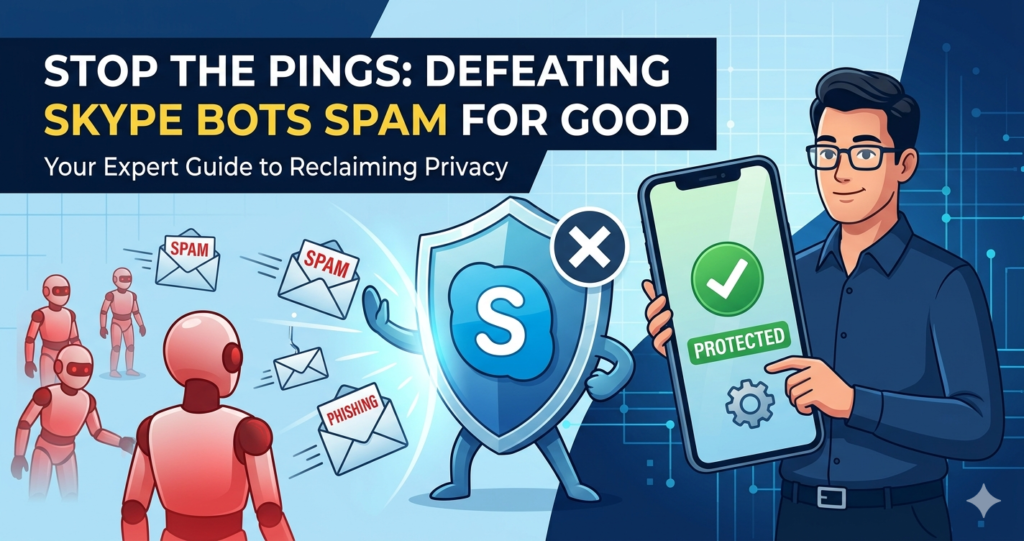
Skype bots spam has been a persistent and growing problem for millions of users worldwide. Whether you’re using Skype for personal calls, remote work, or client communication, bot-driven spam can disrupt your experience, compromise your privacy, and even put your device at risk.
In this guide, we’ll break down exactly what Skype spam bots are, how they work, how to spot them instantly, and — most importantly — how to stop them for good. This isn’t a generic tech post. It’s a practical, experience-backed resource written to help you actually solve the problem.
What Are Skype Bots Spam? (And Why They Exist)
Skype bots are automated programs that use Skype’s messaging system to send large volumes of unsolicited messages to real users. Unlike genuine Skype bots built for productivity (think customer service chatbots or reminder bots), spam bots are malicious — designed to deceive, manipulate, or extract value from unsuspecting users.
They exist for a few core reasons:
- Financial fraud — phishing for banking details or crypto wallet access
- Ad fraud — driving traffic to shady affiliate links
- Data harvesting — collecting email addresses, phone numbers, or usernames
- Malware distribution — getting users to download infected files
- Account takeover — tricking users into revealing login credentials
Spam bots are usually deployed in large networks (botnets), which is why once one slips through, you might suddenly start seeing dozens of similar messages from different accounts.
How Skype Spam Bots Actually Work
Understanding the mechanics helps you recognize and counter them faster.
Step 1: Account Creation
Spammers create fake Skype accounts — often using stolen identities, generated profile pictures, or AI-created personas — to appear legitimate.
Step 2: Target Discovery
Bots scrape public Skype IDs from forums, leaked databases, social media bios, and Skype’s own public directory (which Microsoft has since restricted).
Step 3: Mass Messaging
Using automation scripts or third-party tools, bots send thousands of messages per hour. These messages often include:
- Shortened or disguised URLs
- Promises of free money, jobs, or prizes
- Fake urgent warnings (“Your account will be suspended!”)
- Friend requests from attractive or professional-looking fake profiles
Step 4: Engagement & Exploitation
If a user responds or clicks a link, the bot escalates — either continuing the conversation with scripted replies or redirecting to a malicious site.
| Stage | Bot Action | Goal |
|---|---|---|
| Discovery | Scrapes Skype IDs | Build target list |
| Contact | Sends initial message | Start engagement |
| Hook | Offers reward or urgency | Get user to respond |
| Exploit | Phishing link or malware | Extract data or install software |
| Disappear | Account deleted/abandoned | Avoid detection |
How to Identify Skype Bots Spam (Red Flags Checklist)
Most spam bots follow predictable patterns. Once you know what to look for, they’re surprisingly easy to spot.
✅ Profile Red Flags
- Profile picture looks like a stock photo or AI-generated face
- Account created recently (you can’t always see this, but other signs help)
- No mutual contacts
- Username is a random string of letters and numbers
- Display name doesn’t match the Skype handle
✅ Message Red Flags
- Message arrives unsolicited — you didn’t initiate contact
- Overly generic opening (“Hi dear,” “Hello friend”)
- Offers that seem too good to be true (free money, jobs, prizes)
- Contains a link — especially a shortened URL (bit.ly, tinyurl.com)
- Poor grammar or unusually perfect, robotic phrasing
- Immediate request for personal information
- Creates a sense of urgency (“Act now,” “Limited time”)
✅ Behavioral Red Flags
- Responds instantly at any hour of the day
- Replies feel scripted or don’t address what you actually said
- Quickly pivots to asking for money, gift cards, or personal data
- Deflects when asked specific or unusual questions
Pro Tip: Ask the account a weird, specific question — like “What was the last movie you watched in theaters?” A real person will answer naturally. A bot will either ignore it, respond generically, or loop back to its original script.
Types of Skype Spam Bots You’ll Encounter
Not all bots are the same. Here’s a breakdown of the most common types currently circulating.
1. Phishing Bots
These bots send messages designed to look like official Skype or Microsoft notifications, urging you to verify your account by clicking a link. The link leads to a fake login page that steals your credentials.
2. Romance Scam Bots
These use attractive profile pictures and flattering messages to build fake relationships over time before eventually asking for money or gifts.
3. Crypto Scam Bots
Increasingly common, these bots promise investment returns or “exclusive opportunities” in cryptocurrency, directing users to fraudulent trading platforms.
4. Job Offer Bots
Mimicking legitimate recruiters, these bots offer high-paying remote jobs — often asking for personal documents, bank account details for “payroll setup,” or upfront fees.
5. Malware Distribution Bots
These send files — often disguised as invoices, receipts, or images — that contain viruses, ransomware, or spyware.
| Bot Type | Common Lure | End Goal |
|---|---|---|
| Phishing | “Verify your Skype account” | Steal login credentials |
| Romance Scam | Emotional connection | Extract money |
| Crypto Scam | Investment opportunity | Financial fraud |
| Job Offer | Fake recruitment | Data theft / upfront fee |
| Malware | Shared file or document | Device compromise |
How to Block and Report Skype Bots Spam
Taking action is easier than most people think. Here’s exactly what to do.
Method 1: Block the Contact Immediately
- Open the conversation with the suspected bot
- Click the contact’s name or profile picture to open their profile
- Select Block contact
- Choose whether to report it simultaneously (strongly recommended)
Blocking prevents the account from contacting you again and removes them from your contact list.
Method 2: Report the Account to Microsoft
Reporting matters — it feeds into Microsoft’s moderation systems and helps protect other users.
- Open the chat with the spam bot
- Right-click (or tap and hold on mobile) on any message
- Select Report a concern
- Choose the appropriate category (spam, phishing, inappropriate content)
- Submit
Method 3: Adjust Your Privacy Settings
The most effective long-term solution is preventing bots from reaching you in the first place.
Go to: Skype Settings → Privacy
Key settings to configure:
- “Allow calls from” → Set to “Contacts only”
- “Allow messages from” → Set to “Contacts only”
- Disable your Skype profile from appearing in public search results
This single change dramatically reduces unsolicited contact from bots.
Method 4: Enable Two-Factor Authentication (2FA)
While 2FA doesn’t directly block bots, it prevents bots from taking over your account if your credentials are ever compromised in a phishing attempt.
Enable it at: Microsoft Account Settings → Security → Two-step verification
Skype’s Built-In Bot Protection: How Well Does It Work?
Microsoft has invested in spam detection systems for Skype over the years, but how effective are they really?
| Protection Feature | Status | Effectiveness |
|---|---|---|
| Automatic spam filtering | Active | Moderate — catches obvious spam |
| AI-based suspicious behavior detection | Active | Improving but not perfect |
| Public Skype ID directory restriction | Implemented | Reduces discoverability |
| User reporting system | Active | Effective when users engage with it |
| Message encryption | End-to-end available | Protects content but not metadata |
The honest answer: Microsoft’s automatic protection catches some bots, but not all. The platform’s open network structure makes it inherently harder to seal off completely compared to more closed ecosystems. Manual blocking and smart privacy settings remain your best defense.
What Happens If You Click a Spam Bot Link?
Don’t panic — but do act immediately.
If you clicked a link:
- Do NOT enter any personal information on the page that opened
- Close the browser tab immediately
- Run a full antivirus/malware scan on your device
- Change your Skype and Microsoft account password right away
- Enable 2FA if you haven’t already
- Check your Microsoft account for any unauthorized activity or sign-ins
If you entered login credentials:
- Change your password immediately from a different, clean device
- Check all linked accounts (email, Microsoft services) for suspicious activity
- Notify your bank if any financial information was shared
- Report the phishing site to Microsoft at: reportaphish@microsoft.com
Comparison: Skype vs. Other Platforms — Spam Bot Problem
How does Skype’s bot spam problem compare with other messaging platforms?
| Platform | Bot Spam Severity | Detection Capability | User Controls |
|---|---|---|---|
| Skype | Moderate–High | Moderate | Good |
| Low–Moderate | Strong | Strong | |
| Telegram | High | Weak | Moderate |
| Discord | Moderate | Moderate | Strong |
| Facebook Messenger | High | Strong | Moderate |
| Signal | Very Low | N/A | Very Strong |
Signal and WhatsApp tend to fare better due to phone-number-based verification, which creates a higher barrier for bot account creation. Telegram and Facebook Messenger face challenges similar to Skype.
Protecting Your Business from Skype Bots Spam
If you use Skype for business communication, the stakes are higher. A single compromised account can expose client data, internal conversations, and financial information.
Business-Specific Recommendations
- Use Skype for Business (or Microsoft Teams) — The enterprise version offers stronger admin controls, including allowing messages only from verified organizational accounts.
- Train your team — Ensure employees know how to identify bot messages and know not to click unsolicited links.
- Set communication policies — Establish internal guidelines about sharing sensitive information over any messaging platform.
- Use endpoint protection software — Tools like Microsoft Defender or third-party enterprise AV solutions can catch malware before it executes.
- Monitor account activity — Review Microsoft account sign-in logs regularly for unusual access.
Advanced Tips: Staying Bot-Free Long-Term
Beyond the basics, here are habits that keep your Skype experience clean over time.
- Never share your Skype ID publicly — Avoid posting it in forums, social media bios, or public directories
- Be skeptical of unsolicited contact requests — Even if the profile looks real
- Keep Skype updated — Updates often include security patches that protect against known bot techniques
- Use a separate Skype account for public-facing work — Keep your personal account private
- Review your contacts list periodically — Remove anyone you don’t recognize
- Don’t respond to spam — Even a simple “wrong number” reply confirms your account is active
Image ALT Text Suggestions
For publishers adding visuals to this article:
"Screenshot showing how to block a contact on Skype to stop spam bots""Infographic showing the signs of a Skype spam bot message""Skype privacy settings menu to restrict who can send messages""Comparison chart of bot spam severity across messaging platforms""Step-by-step guide to reporting a Skype spam bot to Microsoft"
Suggested Internal Linking Ideas
- Link to: “How to Set Up Two-Factor Authentication on Microsoft Accounts”
- Link to: “Best Practices for Online Privacy in 2025”
- Link to: “How to Recognize Phishing Emails and Messages”
- Link to: “Microsoft Teams vs Skype: Which Is Better for Business?”
- Link to: “What to Do If Your Account Gets Hacked”
Frequently Asked Questions About Skype Bots Spam
1. What is a Skype spam bot?
A Skype spam bot is an automated account programmed to send unsolicited, often deceptive messages to Skype users. These bots are typically used for phishing, financial scams, malware distribution, or data harvesting — and they operate at a scale no human spammer could match manually.
2. Why am I suddenly getting Skype spam bot messages?
Your Skype ID may have been exposed through a data breach, scraped from a public directory, or shared in an online database. Sometimes it’s simply the result of bots cycling through IDs randomly. Adjusting your privacy settings to restrict who can contact you is the fastest way to stop new messages.
3. Is it safe to open a message from a Skype spam bot?
Opening a message in itself is generally safe — the risk comes from clicking links, downloading files, or responding with personal information. If you suspect a message is from a bot, block and report the account without engaging.
4. Can Skype bots spam infect my device with a virus?
Yes — if you download a file sent by a spam bot, it may contain malware, ransomware, or spyware. Never open files from unknown or unsolicited contacts. Run a malware scan immediately if you have downloaded anything suspicious.
5. How do I stop Skype spam bots from contacting me?
Go to Skype Settings → Privacy → and set both messages and calls to “Contacts only.” This is the single most effective step. Also block and report any spam bots you’ve already received messages from.
6. Does blocking a Skype spam bot actually help?
Blocking prevents that specific account from contacting you again. Reporting it goes further — it flags the account to Microsoft, which can investigate and remove it, protecting other users as well. Both actions together are more effective than blocking alone.
7. Are Skype spam bots illegal?
In most countries, yes. Sending unsolicited spam messages, operating phishing schemes, and distributing malware are violations of computer fraud laws, anti-spam regulations (like CAN-SPAM in the US and GDPR in Europe), and Microsoft’s Terms of Service. Victims can report criminal incidents to local cybercrime authorities.
8. Is Skype more vulnerable to bots than WhatsApp or Signal?
Generally, yes. Skype’s more open account creation system (without mandatory phone number verification) makes it easier for bot operators to create large numbers of fake accounts quickly. WhatsApp and Signal use phone verification, which creates a higher friction barrier for spammers.
Conclusion
Skype bots spam is a real, ongoing problem — but it’s one you can manage effectively with the right knowledge and settings. The key takeaways from this guide:
- Bots follow predictable patterns — learn to recognize the red flags
- Your privacy settings are your first line of defense
- Always block AND report spam accounts — both matter
- Never click links or download files from unknown contacts
- Enabling 2FA significantly reduces your risk if credentials are ever compromised
Whether you’re a casual user or relying on Skype for business-critical communication, staying one step ahead of spam bots is about building smart habits — not just reacting after the fact.
The internet isn’t going to get less spammy on its own. But you can make yourself a much harder target.

Elara Voss is a technology writer and immersive systems researcher at Argos.Vu, exploring the intersection of AI, virtual reality, and spatial computing. Her work focuses on how emerging technologies reshape the way we perceive, interact with, and understand information in the real world.
She writes about cutting-edge innovations, digital environments, and the future of human–technology interaction—translating complex ideas into engaging, forward-thinking insights.