Watching videos online has become part of everyday life. People use YouTube for entertainment, education, music, tutorials, product reviews, podcasts, documentaries, and much more. But sometimes, viewers want to keep a video for offline access or use content they have permission to download. That is where the term YouTube ripper often comes into the conversation.
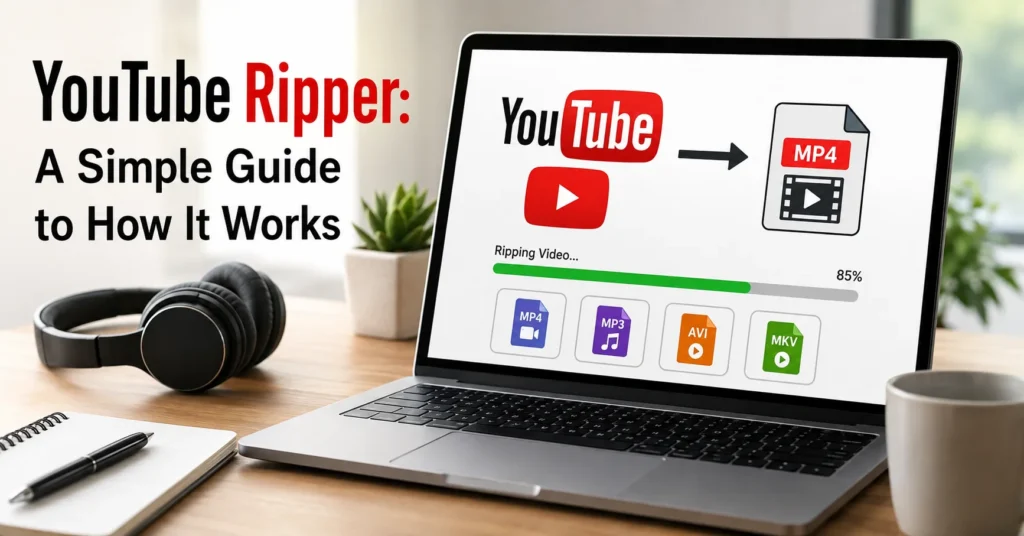
A YouTube ripper is generally a tool or service designed to process a YouTube video and extract or convert its available media into another format, such as a video file or audio file. While the technology behind these tools can be interesting and useful, how you use one matters. Downloading content without permission may violate copyright rules or the platform’s terms, so it is important to understand the difference between technically possible and legally permitted.
This guide explains what a YouTube ripper is, how the technology generally works, what formats may be involved, the benefits and limitations of these tools, and the important safety and copyright considerations to keep in mind.
ALSO READ: The Ultimate Men Grooming Essentials Checklist
What Is A YouTube Ripper?
A YouTube ripper is software or an online service that processes video content from YouTube and makes the media available in another form.
Depending on the particular tool, it may be designed to:
- Extract video from a supported source
- Extract audio from a video
- Convert media into different file formats
- Process different video resolutions
- Prepare content for offline use when downloading is authorized
- Separate audio and video components
- Convert compatible media into a more convenient format
The word “ripper” comes from the idea of extracting media from a source. Similar terminology has historically been used for tools that extract audio tracks, video files, or other digital media.
However, a YouTube ripper does not automatically give someone ownership of the content it processes. A useful distinction is that a tool’s technical function and your right to use the resulting file are two different things.
If you created the video yourself, received permission from the copyright owner, or the content is available under terms that allow downloading and reuse, the situation is different from downloading copyrighted material without authorization.
How Does A YouTube Ripper Work?
The process can appear simple from a user’s perspective, but several technical steps may happen behind the scenes.
A typical workflow looks something like this:
The user provides a video address.
The tool identifies the supported media information.
It analyzes the available media streams or formats.
The user selects an appropriate output option.
The tool processes or converts the media.
The resulting file is prepared for the user’s authorized offline use.
The exact process varies considerably between tools.
Providing the Video Address
Many online media tools begin by asking the user to enter a video URL.
The URL acts as an identifier that tells the service which publicly accessible video page the user wants to process.
A well-designed tool should make this step straightforward. However, users should be cautious when entering links into unfamiliar websites, particularly if the service asks for unnecessary account credentials, browser extensions, or personal information.
Analyzing the Available Media
After receiving the address, a tool may inspect information associated with the media.
Depending on how the source delivers the content, video and audio may not always exist as one simple downloadable file. Modern streaming systems can deliver separate components or multiple versions optimized for different resolutions and connection speeds.
A media-processing tool therefore may need to identify:
- Video resolution
- Audio availability
- Video codec
- Audio codec
- File container
- Available quality levels
- Approximate file size
- Whether separate streams are involved
This information helps determine what processing is possible.
Selecting a Format
Some tools allow users to select a preferred output format.
Common media containers include formats such as MP4, WebM, and audio containers such as M4A or similar formats.
The best choice depends on what the user plans to do with an authorized file.
For example, MP4 is widely supported across computers, phones, televisions, and editing applications. Other formats can offer technical advantages but may not work equally well with every device.
Processing the Media
The tool then processes the selected media.
In some cases, the source already provides a suitable stream and the tool primarily transfers it into an output file. In other cases, separate audio and video streams may need to be combined.
If conversion is necessary, the software may also perform transcoding. Transcoding means converting media from one codec or format into another.
This process can require significant computing resources, particularly when working with high-resolution video.
Creating the Output File
Once processing is complete, the tool creates an output file that can be stored on a device.
At this point, the resulting media is simply a digital file. Its compatibility depends on factors such as its container, codec, resolution, and audio configuration.
The important point is that having a file does not change the copyright status of the underlying content.
Why Do People Use YouTube Rippers?
There are several legitimate reasons someone might be interested in this type of technology.
Offline Access to Authorized Content
Internet connections are not always reliable. A person may need access to their own videos or other content they are permitted to download while traveling, working remotely, or studying somewhere with limited connectivity.
An offline copy can make authorized content more convenient to access.
Personal Media Management
Creators sometimes need to process their own published videos.
For example, a creator may want to keep a local archive of videos they produced. Having local copies can be useful for backup and media management.
Format Conversion
Different devices and software applications support different media formats.
A creator may need to convert an authorized video into a format that works better with a particular editing program or device.
Extracting Audio From Authorized Material
There are circumstances where separating audio from a video can be useful.
For instance, someone working with their own educational recording may need an audio-only version for editing or accessibility purposes.
Again, permission matters. Extracting audio from someone else’s copyrighted material does not automatically make the use permissible.
Understanding Video Quality
One of the biggest misconceptions about video downloading is that choosing a higher number always means better quality.
A 1080p option, for example, describes resolution, but resolution is only one part of overall video quality.
Other factors include:
- Bitrate
- Codec efficiency
- Frame rate
- Compression level
- Original recording quality
- Audio quality
- Encoding settings
A heavily compressed 1080p video may look worse than a well-encoded lower-resolution video.
What Does 720p Mean?
720p generally refers to a video with approximately 1280 × 720 pixels.
It can provide a good balance between image quality and file size, particularly on smaller screens.
What Does 1080p Mean?
1080p generally refers to approximately 1920 × 1080 pixels.
It offers greater detail than 720p and is commonly used for high-definition content.
What About 4K?
4K video typically provides substantially more pixels than Full HD.
The advantage becomes more noticeable on larger displays or when viewing detailed footage. However, 4K files can require considerably more storage space and bandwidth.
Higher resolution also does not magically improve a low-quality original recording. If the source was recorded poorly, converting it to a larger resolution cannot recreate genuine detail that was never captured.
Video Formats Explained Simply
Understanding file formats can make media management much easier.
MP4
MP4 is one of the most widely supported video containers.
Its popularity comes from its compatibility with many phones, computers, televisions, browsers, and editing applications.
For general-purpose video storage, it is often a practical choice when the content is authorized for downloading.
WebM
WebM is an open media container commonly associated with web-based video.
It can provide efficient compression and is useful in environments that support modern web media technologies.
However, compatibility can vary between older devices and applications.
M4A
M4A is commonly used for audio.
It can be useful when someone needs an audio-only version of content they are authorized to process.
The quality and compatibility depend on the underlying audio codec and encoding settings.
What Is The Difference Between Downloading And Streaming?
Streaming and downloading are two different ways of accessing digital media.
With streaming, media is delivered to a device as it is being played. The user generally does not need to keep a permanent copy of the entire media file.
Downloading creates a local copy on the device.
This distinction is important because a streaming service can control how its content is accessed, cached, or made available for offline viewing.
Some platforms provide official offline features. When such features are available, using them is generally the clearest way to follow the platform’s intended access model.
Is Using A YouTube Ripper Legal?
There is no universal yes-or-no answer.
The legality depends on several factors, including:
- Who owns the content
- Whether you have permission
- The license attached to the content
- What you intend to do with the file
- Applicable copyright laws
- The platform’s terms and policies
Downloading your own content for backup is very different from downloading a copyrighted movie, music video, or other protected material without authorization.
Some creators deliberately publish material under licenses that allow downloading, modification, or redistribution. Other content may have much stricter restrictions.
The safest approach is to determine whether you have the right to download and use the specific content before processing it.
Copyright Should Always Be Considered
Copyright protects original creative works, including many videos, music recordings, photographs, animations, and educational materials.
A video being publicly viewable does not necessarily mean that it is free to copy or redistribute.
For example, watching a video publicly available on YouTube and downloading that video for unrestricted redistribution are two separate activities.
Before downloading or converting material, consider whether:
- You created it yourself
- You have explicit permission
- The copyright owner permits the intended use
- The material is available under a suitable license
- An official download option is provided
When there is uncertainty, checking the rights associated with the content is a much safer approach than assuming that anything available online can be copied.
YouTube Ripper Safety: What Users Should Watch For
Not every website or program claiming to process online video is trustworthy.
Some services may use aggressive advertising, misleading buttons, intrusive notifications, or questionable software.
A few basic precautions can reduce unnecessary risk.
Avoid Unnecessary Software
If a website claims you must install an unfamiliar application before processing ordinary media, think carefully before proceeding.
Do not install software simply because a pop-up tells you that it is required.
Be Careful With Browser Extensions
Unknown browser extensions can request broad permissions.
Before installing one, consider what access it is asking for and whether the developer is trustworthy.
Never Give Away Account Passwords
A basic media-processing service should not need your main email or social-media password.
Never provide sensitive login information to an unfamiliar service simply to process media.
Watch for Fake Download Buttons
Some websites contain multiple advertisements designed to look like download controls.
Read the page carefully and avoid clicking unexpected pop-ups or suspicious buttons.
Keep Security Software Updated
Operating system updates, browser updates, and reputable security software can help reduce exposure to common online threats.
Security is not just about the tool itself. It is also about the website, advertisements, files, and permissions involved in the process.
Common Problems With YouTube Rippers
Even legitimate media-processing tasks can encounter technical problems.
The Video Cannot Be Processed
A tool may fail because the video is unavailable, restricted, changed, or incompatible with the service’s current processing method.
This does not necessarily mean there is something wrong with your device.
Audio and Video Are Out of Sync
If separate media streams are processed incorrectly, synchronization problems can occur.
The resulting file may have audio that starts too early or too late.
Poor Output Quality
If the selected source has limited quality, the output cannot contain more genuine detail than the original.
Changing a low-resolution video into a higher-resolution file does not recreate missing information.
Large File Sizes
High-resolution video can consume considerable storage.
Before choosing the highest available quality, think about where the file will be stored and how frequently it will be used.
Conversion Takes Too Long
Transcoding can be computationally demanding.
Higher resolutions, longer videos, and more complex codecs can increase processing time.
How To Choose A Safer Media Tool
If you have a legitimate reason to process a video, focus on the tool’s transparency and safety rather than simply looking for the fastest option.
A more trustworthy service should have clear information about what it does and should not pressure users into installing unrelated software.
Look for practical characteristics such as:
- Clear interface
- Transparent file-format information
- Minimal unnecessary permissions
- No requests for sensitive passwords
- Reasonable privacy practices
- Clear terms of use
- No misleading download controls
- Reliable handling of authorized content
You should also be cautious about websites promising unrealistic results, such as dramatically improving poor-quality footage or providing every possible format instantly.
Why Official Download Options Can Be Better
When a platform or creator provides an official way to save content for offline viewing, that option can have important advantages.
Official tools are generally designed around the platform’s rules and can provide a more predictable experience.
They may also handle account permissions, quality settings, playback restrictions, and content licensing differently from third-party tools.
For users who simply want convenient offline viewing, an official feature is often worth considering before searching for an external solution.
YouTube Ripper vs. Screen Recording
Screen recording is another method people sometimes consider for preserving authorized material.
However, screen recording and direct media processing are technically different.
Screen recording captures what is displayed on the screen. The resulting file can therefore depend on display resolution, playback quality, system performance, and recording settings.
A media-processing workflow, by comparison, works with the underlying media rather than simply capturing the screen.
Neither method changes copyright ownership. The same permission considerations apply regardless of the technology used.
Can A YouTube Ripper Improve Video Quality?
Generally, no.
A tool can convert, resize, or re-encode a video, but it cannot reliably recreate original details that were never present in the source.
For example, taking a low-resolution video and exporting it as a much larger file may produce a bigger image without producing genuinely sharper details.
Quality is determined by the original source and the encoding process.
This is why choosing the highest-quality authorized source available is usually more useful than relying on artificial enlargement later.
Tips For Managing Downloaded Media Responsibly
If you have permission to keep a local copy, good file management can make your media library much easier to maintain.
Use Descriptive File Names
Instead of generic names, use information that helps identify the content.
For example, a useful filename might include the project name, subject, and date.
Organize Files Into Folders
Separate videos by project, client, course, creator, or another logical category.
A simple structure can prevent a large collection from becoming difficult to manage.
Keep Backups
If the material is important, storing the only copy on one device is risky.
A backup can protect against accidental deletion, hardware failure, or other problems.
Avoid Keeping Unnecessary Copies
Multiple copies of large video files can quickly consume storage.
Keep the versions you actually need and remove unnecessary duplicates when appropriate.
The Future Of Online Video Processing
Online video technology continues to evolve.
Higher resolutions, improved compression methods, adaptive streaming, faster internet connections, and new media codecs are changing how video is delivered and stored.
As these technologies develop, media-processing tools may also change.
At the same time, copyright enforcement, platform policies, licensing systems, and digital rights management continue to evolve.
For that reason, the most responsible approach is not simply learning how a particular tool works today. It is understanding the broader relationship between technology, permissions, copyright, privacy, and digital content ownership.
Final Thoughts
A YouTube ripper is essentially a tool or service designed to process online video and, depending on its capabilities, extract, convert, or prepare media in another format. Behind a simple interface, the process can involve identifying media streams, selecting formats, processing audio and video, and creating a compatible output file.
The technology itself can have legitimate uses, particularly when working with content you created or have permission to download and process. It can help with backups, offline access to authorized material, format conversion, and personal media management.
However, the existence of a technical tool does not automatically provide permission to copy copyrighted content. Copyright, licensing, privacy, platform policies, and intended use should always be considered.
The smartest approach is to focus not only on whether something can be downloaded, but also on whether you are allowed to download and use it. When official offline or download options are available, they are often the simplest choice. For content you own or are authorized to process, choosing a reputable and secure workflow can make media management much easier.
Understanding how the technology works gives you a clearer picture of both its possibilities and its limitations—and that knowledge is ultimately more valuable than simply finding the quickest tool.
FAQs
What is a YouTube ripper?
A YouTube ripper is a tool or service designed to process online video and may extract or convert authorized media into video or audio files.
Can a YouTube ripper download any video?
Not necessarily. Availability, technical restrictions, platform policies, and copyright permissions can affect whether particular content can be processed.
Does a YouTube ripper improve video quality?
No. Converting a video to a larger resolution does not recreate details that were missing from the original source.
Is using a YouTube ripper legal?
It depends on the content, permission, license, intended use, applicable law, and platform rules. Users should only download or process content they are authorized to use.
What video format is commonly used?
MP4 is a widely supported video container and is commonly used for general-purpose video storage and playback.
ALSO READ: Does Invisalign Hurt? What To Expect During Treatment

Elara Voss is a technology writer and immersive systems researcher at Argos.Vu, exploring the intersection of AI, virtual reality, and spatial computing. Her work focuses on how emerging technologies reshape the way we perceive, interact with, and understand information in the real world.
She writes about cutting-edge innovations, digital environments, and the future of human–technology interaction—translating complex ideas into engaging, forward-thinking insights.